Import from Weather Underground
Backfill your personal weather station history from Weather Underground using a free API key.
Import from Weather Underground
Use this guide if your weather history is stored on Weather Underground and you want to bring it into Meteobreeze.
Meteobreeze connects to the Weather Underground PWS history API, downloads your observations one day at a time, converts them into canonical units, and imports them into your station.
Recommended: connect your live source first, then import from Weather Underground. This keeps Meteobreeze up to date while the backfill works through the older records.
This import is different from the CSV and Cumulus imports in one important way: it runs in the background and can take days rather than minutes. That is a limitation of the Weather Underground API, not of Meteobreeze. You can close the window and come back later.
When to use it
- Your station uploads to Weather Underground and you do not have the original data files
- You want history from before you started using Meteobreeze
- You no longer have access to the software or database that originally recorded the data
Before you start
You need two things.
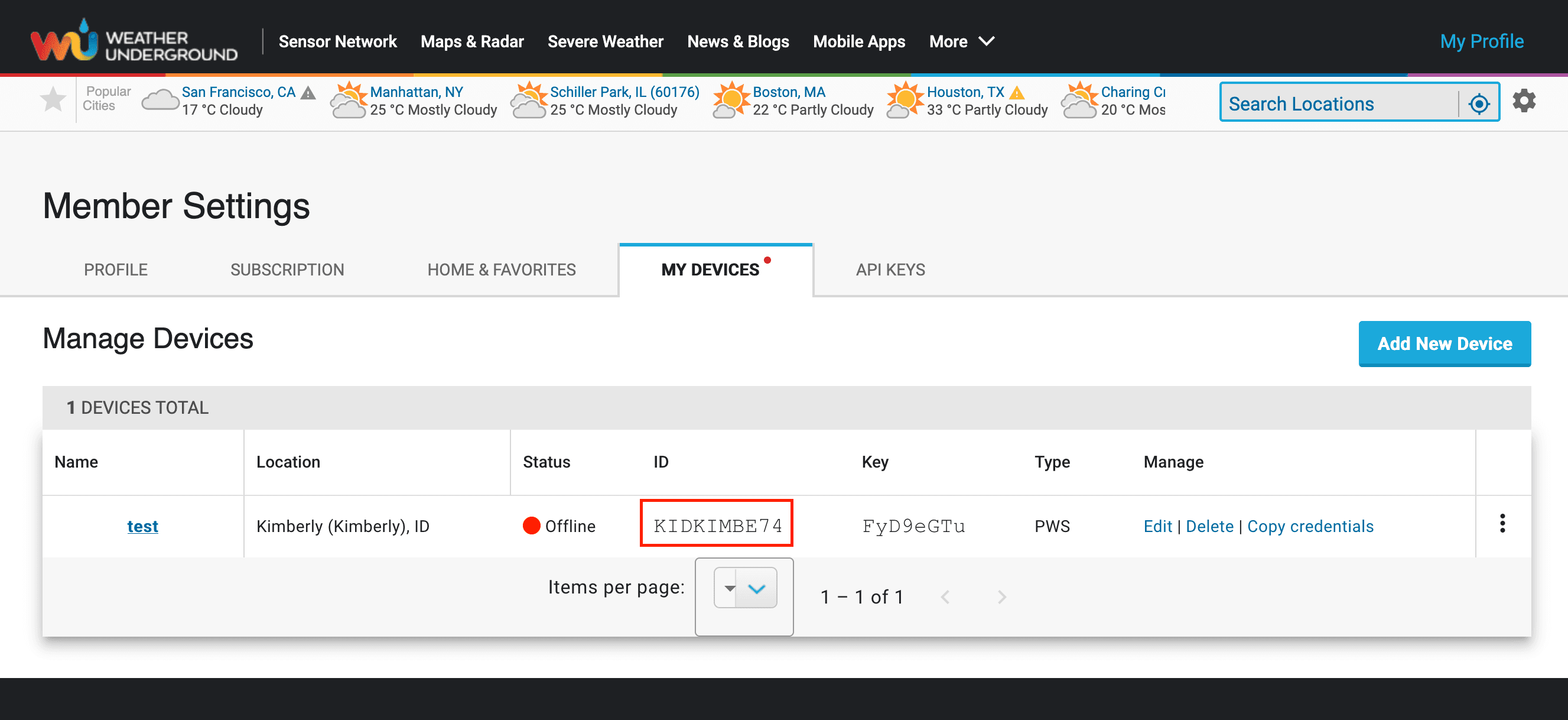
Your station ID
This is the ICAO-style code shown on your Weather Underground dashboard, for example ILONDON123. It is not your email address or username.
A free API key
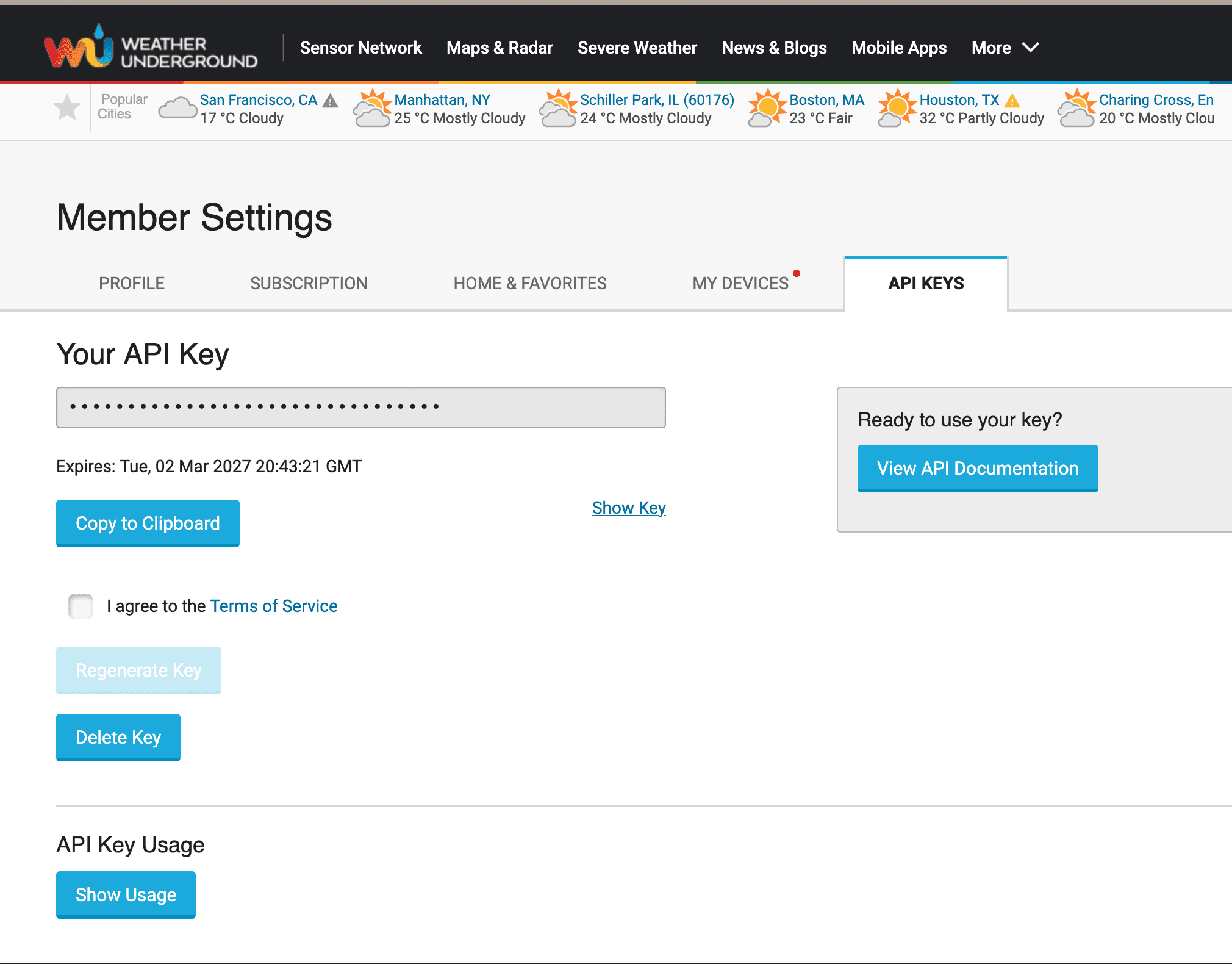
- Sign in at wunderground.com.
- Go to
Profile→My Profile→API Keys, or visit wunderground.com/member/api-keys directly. - Generate a key if you do not already have one.
- Copy the key. It looks like a long string of letters and numbers.
Your key is stored encrypted and is only used to talk to Weather Underground on your behalf.
How long it takes
Before importing, Meteobreeze maps the dates for which Weather Underground has data, using approximately one request per month of history. It then downloads observations one day at a time, skipping dates the map shows are empty. This means outages and other gaps do not consume a daily-history request during the import.
A key belonging to a PWS contributor — anyone whose own station uploads to Weather Underground, which includes you — allows about 1,500 requests per day. Timing therefore depends on the number of days with observations, not simply the station's age. A continuously reporting station has roughly the following download requests, plus the initial monthly coverage scan:
| History imported | Approximate requests | Approximate time |
|---|---|---|
| 1 year | 365 | Under an hour |
| 2 years | 730 | A few hours |
| 5 years | 1,825 | About 2 days |
| 10 years | 3,650 | About 3 days |
When the daily limit is reached, the import pauses and Meteobreeze continues it automatically the next day. You do not need to do anything.
Step-by-step
- Open the historical import flow and choose
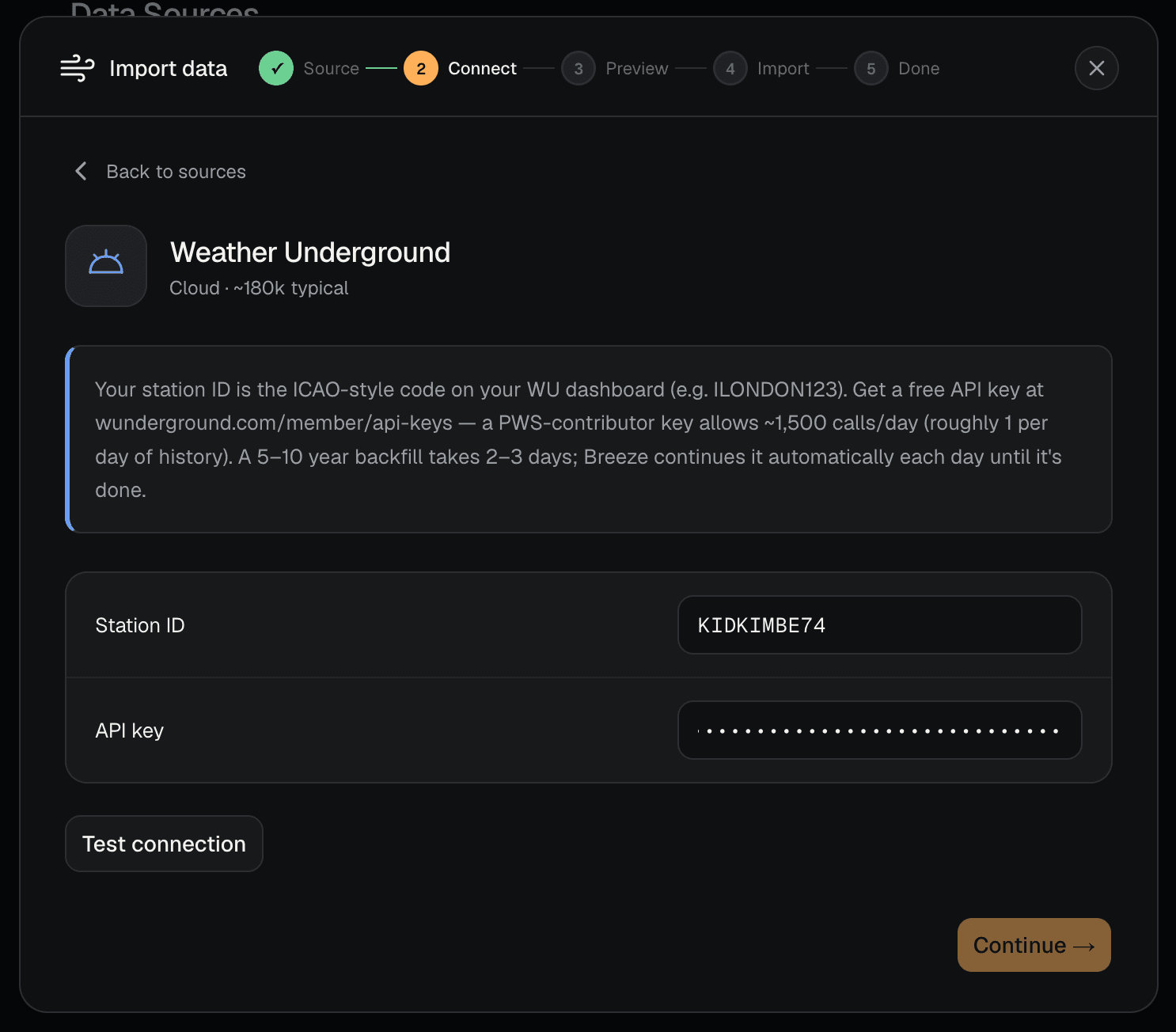
Weather Underground. - Enter your station ID.
- Enter your API key.
- Select
Test connection. - Review the sample day that comes back, then continue to the preview screen.
- Choose the station in Meteobreeze that should receive the data.
- Choose an import range.
- Start the import.
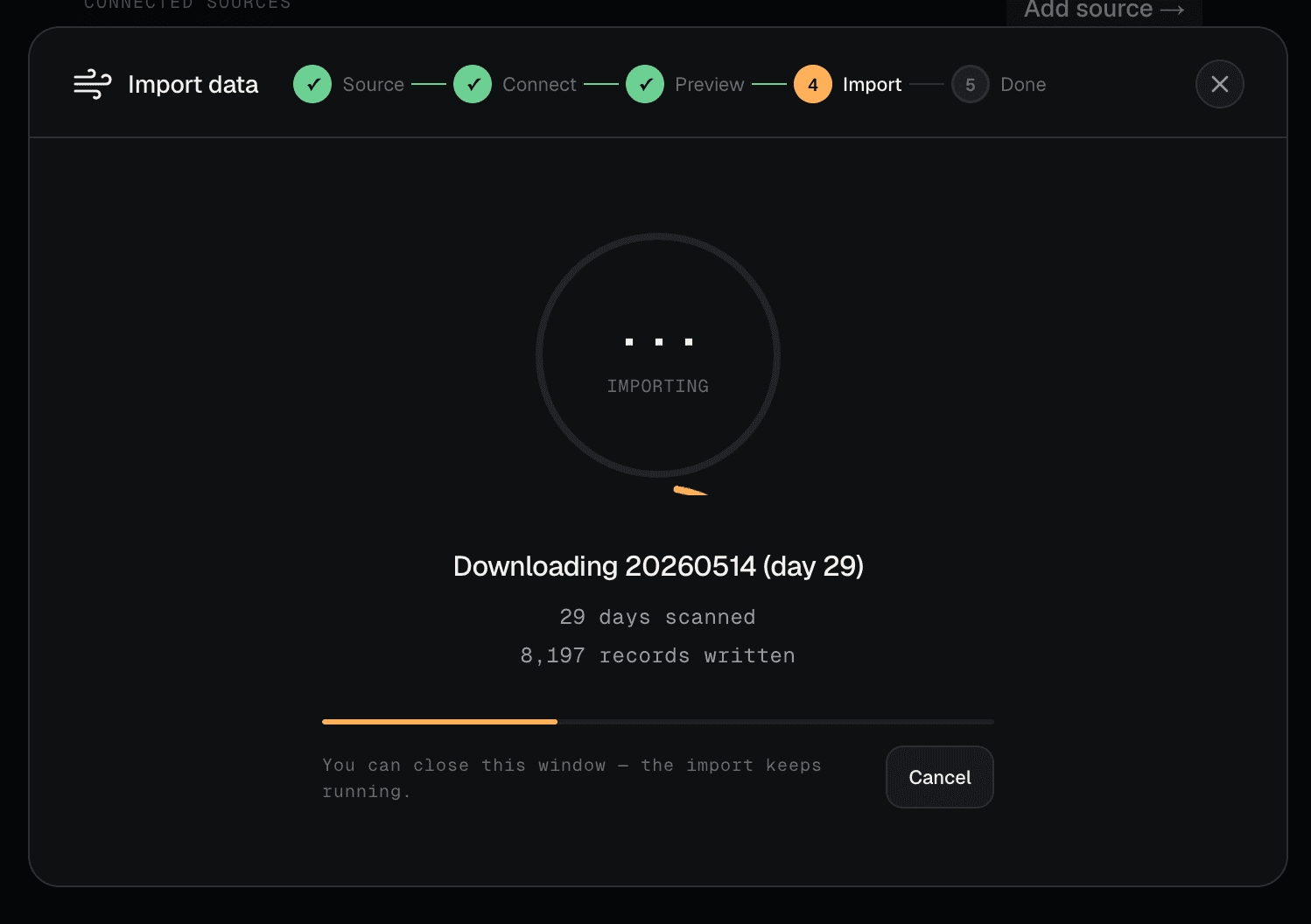
The window shows live progress while the import runs. You can close it at any point — the import keeps going on the server.
Understanding "Test connection"
Test connection deliberately makes only a couple of API calls, because every call counts against your daily limit. It proves your station ID and key work, and it shows you one recent day of data as a sample.
The dates it reports are that sample day — they are not the limits of what you can import. The preview screen does more work to estimate how far your history actually goes back.
Choosing a range
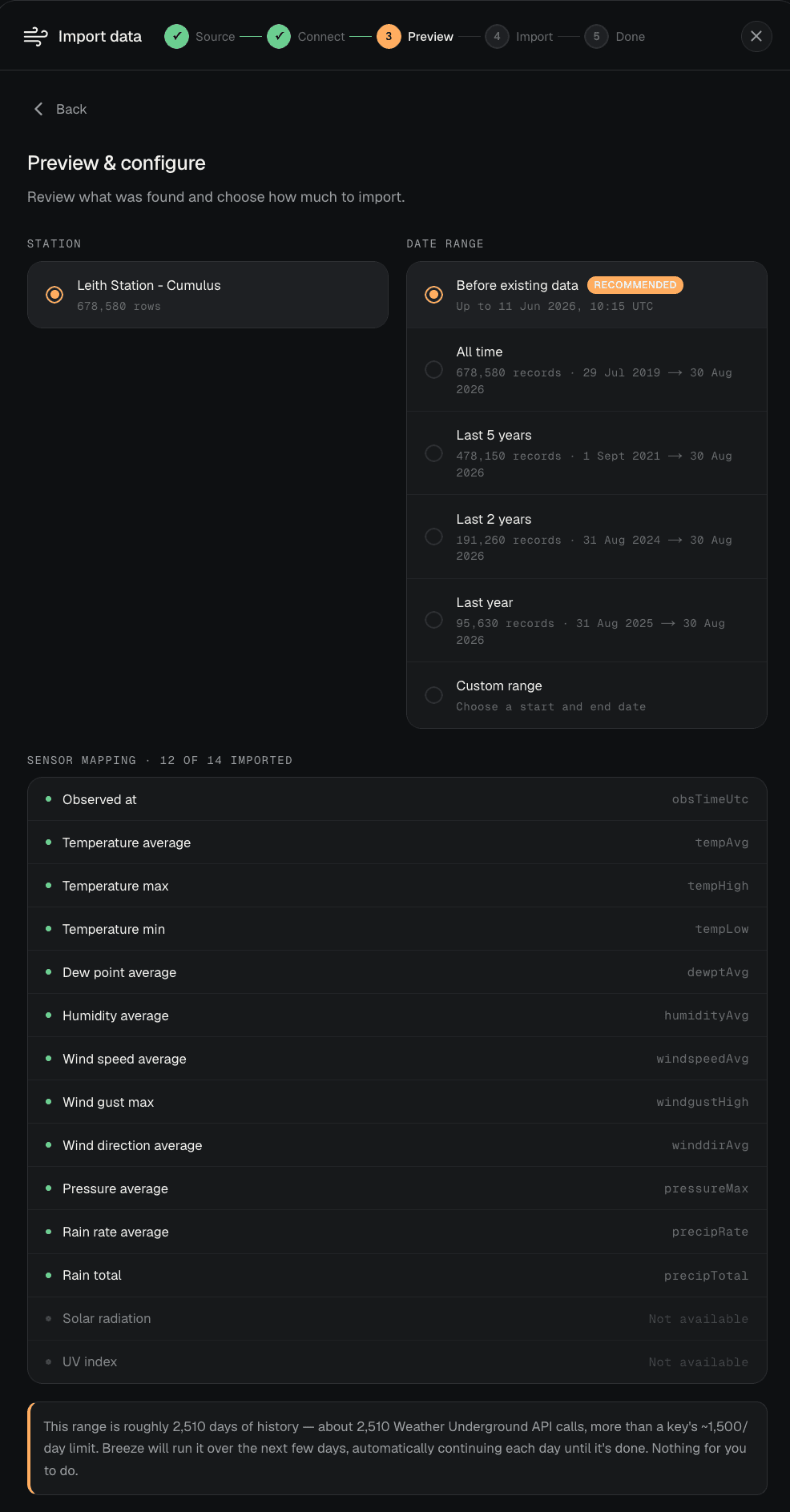
The preview screen offers All time, Last 5 years, Last 2 years, Last year, and Custom range. It also summarises the first month found, the number of days with data, and any full-month gaps in Weather Underground's history.
Preset ranges are clamped to the history that actually exists, so Last 5 years on a two-year-old station will report two years rather than five.
If the range you choose has more days with data than a single day's quota allows, Meteobreeze warns you before you start and then spreads the work across several days. Known empty dates are skipped.
What gets imported
Meteobreeze imports the following, where your station reports them:
- Temperature average, maximum, and minimum
- Dew point average
- Humidity average
- Wind speed average, gust maximum, and direction average
- Pressure average
- Rain rate average and rain total
- Solar radiation
- UV index
Values are converted into canonical units on the way in. Weather Underground reports wind in kilometres per hour and Meteobreeze stores metres per second, so those numbers will not match one for one. See Units.
Missing fields are fine. Meteobreeze imports what your station recorded and leaves the rest empty.
While the import runs
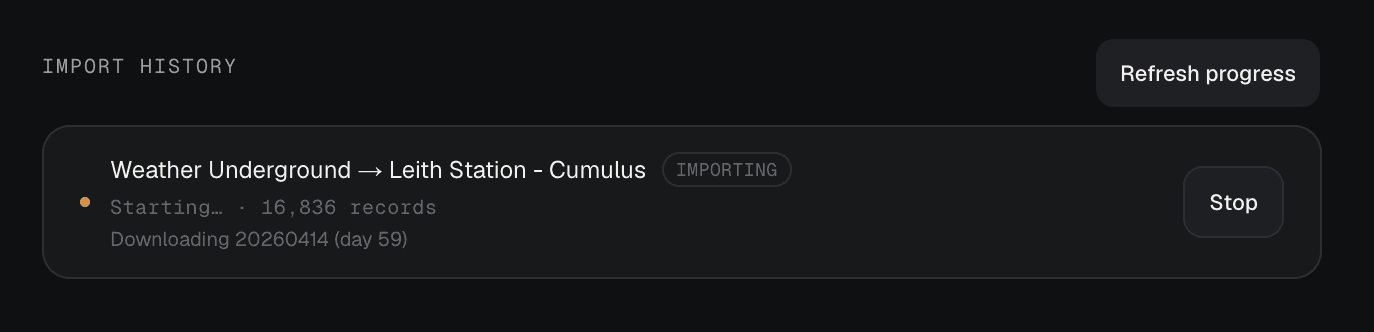
The import appears in Import history in the data sources panel for as long as it is running, showing the day it has reached and how many records have arrived so far.
- Select
Refresh progressto update the figures. - Select
Stopto end the import. Records already imported are kept. - Once it finishes,
Removedeletes the import and the records it added.
Pausing and resuming
An import that stops early is marked Partly imported. This is normal and usually means the daily API limit was reached.
Meteobreeze resumes it automatically and tells you roughly when. If you would rather it did not, select Stop auto-resume.
Running the same import again is always safe. Days that are already fully imported are skipped without spending an API call, so a re-run only fetches what is genuinely missing.
Common issues
- If the key is rejected, check that you copied the whole key and that the station ID is the ICAO-style code rather than your username.
- If no recent observations are found, confirm that your station is still uploading to Weather Underground and that the station ID is correct.
- If the import stops with a message about the daily API limit, no action is needed. It resumes automatically.
- If the import stops with a message about Weather Underground being unreachable, Meteobreeze retries shortly.
- If history has gaps, check the preview's availability summary. Meteobreeze skips known empty dates, which usually reflects a period when Weather Underground has no records for the station.
FAQ
- Do I need a paid API key? No. A free key from your own Weather Underground account is enough.
- Can I use someone else's station ID? A key can query any public station, but you should only import history for stations you own.
- Does my computer need to stay on? No. The import runs on the Meteobreeze server.
- Can I run other imports at the same time? Yes, though only one import per station runs at a time.
- Will re-running an import duplicate records? No. Records are matched on timestamp and updated in place.