Set Up Meteobridge Live Sync
Configure Meteobridge to push live weather data into Meteobreeze.
Set Up Meteobridge Live Sync
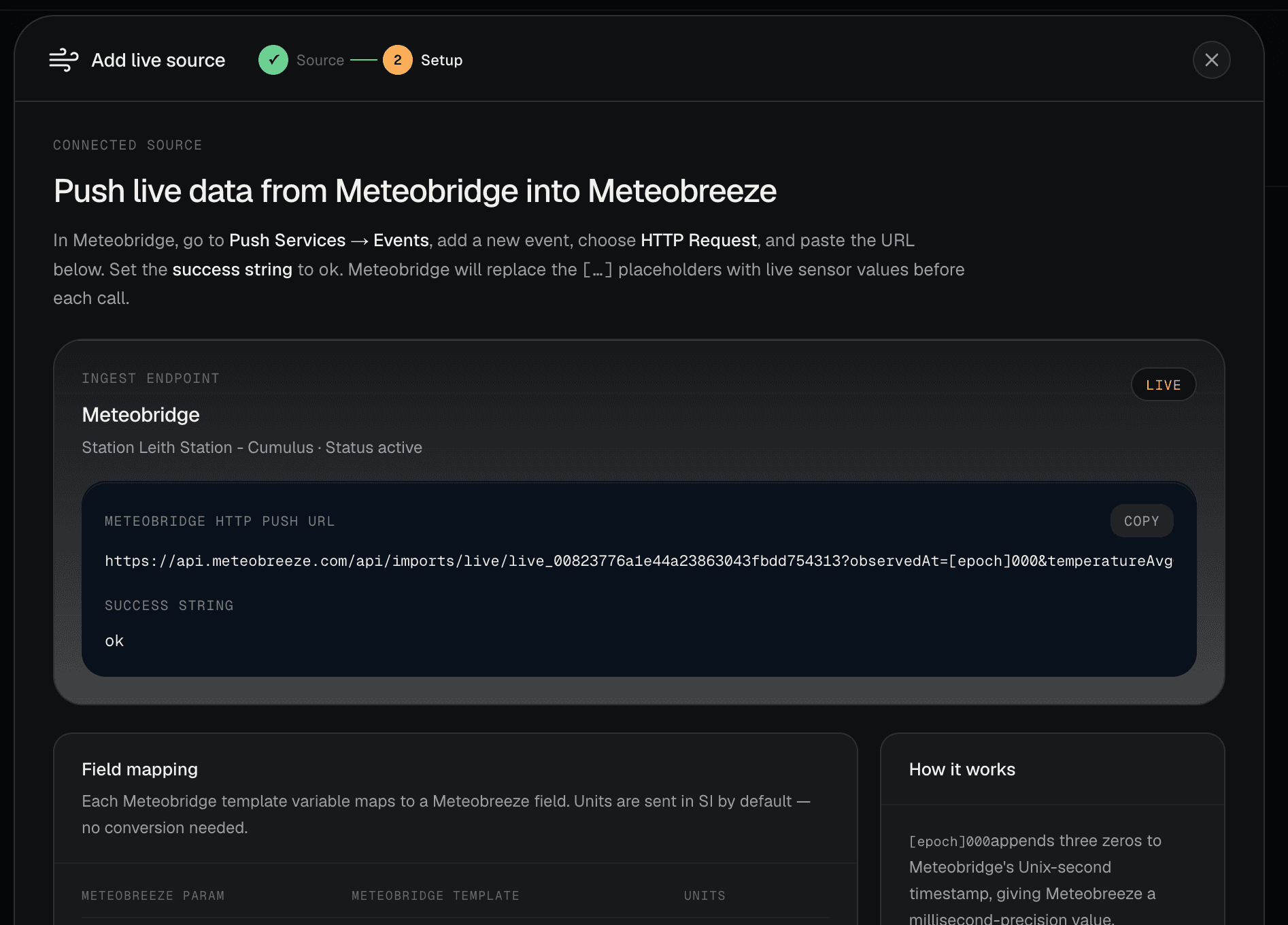
Use this guide if you want Meteobridge to push live observations into Meteobreeze over HTTP.
Meteobridge sends a request whenever your event fires. Meteobreeze receives the packet, stores the current values, and rolls the data into the live dashboard.
When to use it
- You use Meteobridge as your station bridge or automation layer
- You want live data flowing into Meteobreeze without custom scripting
- You want to send metric values directly from Meteobridge
Before you start
- Create a live source in Meteobreeze
- Copy the generated ingest URL
- Make sure your station is already set up
Tag mapping
Meteobridge uses template placeholders inside the HTTP request URL. Meteobreeze expects these canonical fields:
Official Meteobridge reference: Templates
| Meteobreeze field | Meteobridge template |
|---|---|
observedAt | [epoch]000 |
temperatureAvgC | [th0temp-avg1.2:--] |
temperatureMaxC | [th0temp-max1.2:--] |
temperatureMinC | [th0temp-min1.2:--] |
dewPointAvgC | [th0dew-avg1.2:--] |
humidityAvgPct | [th0hum-avg1.0:--] |
windDirectionAvgDeg | [wind0dir-avg1.0:--] |
windSpeedAvg | [wind0avgwind-avg1.2:--] |
windGustMax | [wind0wind-max1.2:--] |
pressureAvg | [thb0seapress-avg1.2:--] |
rainRateAvg | [rain0rate-avg1.2:--] |
rainTotalMm | [rain0total-sumday.2:--] |
solarRadiationAvg | [sol0rad-avg1.1:--] |
uvIndexAvg | [uv0index-avg1.1:--] |
Step-by-step
- Open Meteobridge and confirm
Live Datashows plausible current values. - Go to
Services>Events. - Under
Select Service, choose an HTTP request event and add it. - Choose a periodic trigger and set its interval to one minute.
- Paste the complete Meteobreeze URL into the HTTP request field. Do not open the unexpanded URL in a browser or edit its query parameters.
- Set the success string to
ok. Meteobreeze returns JSON containing"ok": trueafter accepting a packet.

- Save and enable the event.
- Use Meteobridge's
Testcontrol to trigger it immediately. - Open
Monitoring>Upload Status, find the event, and confirm the latest invocation succeeded. - In Meteobreeze, confirm
Last packetand recent observations update, then open/station/<slug>in a signed-out window.
Common issues
- If no packets arrive, check that the event is enabled and the URL is correct.
- If Meteobridge reports a failure, make sure the success string still matches what Meteobreeze expects.
- If sensor values are missing, inspect
Station>Mapping. The generated URL uses Meteobridge's logical sensor-zero mapping, and optional solar or UV sensors may legitimately return--. - If values such as
[epoch]000remain in the request, the event has not expanded its template. Re-paste the generated URL into an HTTP event rather than requesting it directly. - If your values look wrong, confirm the template placeholders are outputting the units you expect before they reach Meteobreeze.
- The generated URL uses one-minute averages, minima, and maxima. Other event intervals are not supported and may produce subtle inaccuracies in time-period-based data.
- If Meteobreeze reports success but the source remains empty, verify you are looking at the same source and that the ingest key was not truncated.
FAQ
- Do I need to convert units first? No. The generated Meteobridge URL uses the expected values.
- Can I edit the URL by hand? Only if you keep the parameter names and format unchanged.
- What wind value is sent?
[wind0avgwind-avg1.2:--]is the one-minute average;[wind0wind-max1.2:--]is the maximum gust from the same one-minute period. - What does the rain total mean?
[rain0total-sumday.2:--]is Meteobridge's station-day total and follows its configured day boundary.
Related pages
The ingest URL contains a write-capable key. Keep it out of screenshots, support posts, and public logs.